> For the complete documentation index, see [llms.txt](https://docs.nerovasystems.com/llms.txt). Markdown versions of documentation pages are available by appending `.md` to page URLs; this page is available as [Markdown](https://docs.nerovasystems.com/guides/zero-to-live/step-2-first-calls.md).
# Step 2: First calls
Make your first two API calls, confirm what your key resolves to, and learn the conventions every later request relies on.
{% hint style="info" %}
Requires [Step 1: Get credentials](/guides/zero-to-live/step-1-credentials.md).
{% endhint %}
**Step 2 of 10.** You hold a Live key from step 1. In this step you make your first two API calls, confirm the key resolves to the grants you expect, and learn the conventions (single host, problem details, request ids, idempotency) that every later request uses.
## 2.1 The single host model
All API traffic goes to one host:
```
https://api.nerovasystems.com
```
Every key is an `nrv_live_` key and operates Production. There is no separate test host and no other key type; usage while you build is paid for by your free testing allowance.
## 2.2 Check the platform status
`GET /api/v1/status` works with or without a key. With your key attached it also reports the environment the key resolves to:
{% tabs %}
{% tab title="curl" %}
```bash
curl https://api.nerovasystems.com/api/v1/status \
-H "Authorization: Bearer $NEROVA_API_KEY"
```
{% endtab %}
{% tab title="C#" %}
```csharp
// client construction: see the .NET SDK page (docs.nerovasystems.com/sdks/dotnet)
var status = await client.Api.V1.Status.GetAsync();
Console.WriteLine($"{status?.Environment} ({status?.ApiVersion})");
```
{% endtab %}
{% tab title="TypeScript" %}
```typescript
// client construction: see the TypeScript SDK page (docs.nerovasystems.com/sdks/typescript)
const status = await client.api.v1.status.get();
console.log(`${status?.environment} (${status?.apiVersion})`);
```
{% endtab %}
{% endtabs %}
```json
{
"apiVersion": "v1",
"correlationId": "0a1b2c3d-4e5f-4a6b-8c7d-9e0f1a2b3c4d",
"environment": "Production",
"observedAt": "2026-08-04T12:41:03.5170258+00:00"
}
```
Without a key the call still succeeds but `environment` is `null`, because the environment is a property of the credential.
## 2.3 Inspect your own context
`GET /api/v1/context` echoes back exactly who the platform thinks you are. Call it first with every new key and after every key rotation:
{% tabs %}
{% tab title="curl" %}
```bash
curl https://api.nerovasystems.com/api/v1/context \
-H "Authorization: Bearer $NEROVA_API_KEY"
```
{% endtab %}
{% tab title="C#" %}
```csharp
var context = await client.Api.V1.Context.GetAsync();
Console.WriteLine($"environment: {context?.Environment}");
Console.WriteLine($"scopes: {string.Join(", ", context?.GrantedScopes ?? [])}");
```
{% endtab %}
{% tab title="TypeScript" %}
```typescript
const context = await client.api.v1.context.get();
console.log(`environment: ${context?.environment}`);
console.log(`scopes: ${context?.grantedScopes?.join(", ")}`);
```
{% endtab %}
{% endtabs %}
```json
{
"subject": "api-key:key_01M0ADZBMS70RX9KSN2RGDSFC7",
"keyId": "key_01M0ADZBMS70RX9KSN2RGDSFC7",
"organizationId": "org_01M0ADRQ2C6JBXG24GEC3H2Q5V",
"environment": "Production",
"grantedScopes": [
"merchant:provision",
"merchant:read",
"capability:read",
"channel:manage",
"conversation:read",
"conversation:write"
],
"permissionCatalogVersion": "2026-08-04.1",
"entitlementState": "active",
"productionDecision": "Allow"
}
```
The example is abridged: the full response also carries the assertion and entitlement timestamps and the entitlement source and version.
Confirm two things before moving on:
* `environment` is `Production` and `entitlementState` is `active`.
* `grantedScopes` contains the scopes you selected in step 1.3. If a scope is missing, later calls fail with HTTP 403 `partner.scope_missing`; create a key with the right areas rather than debugging downstream.
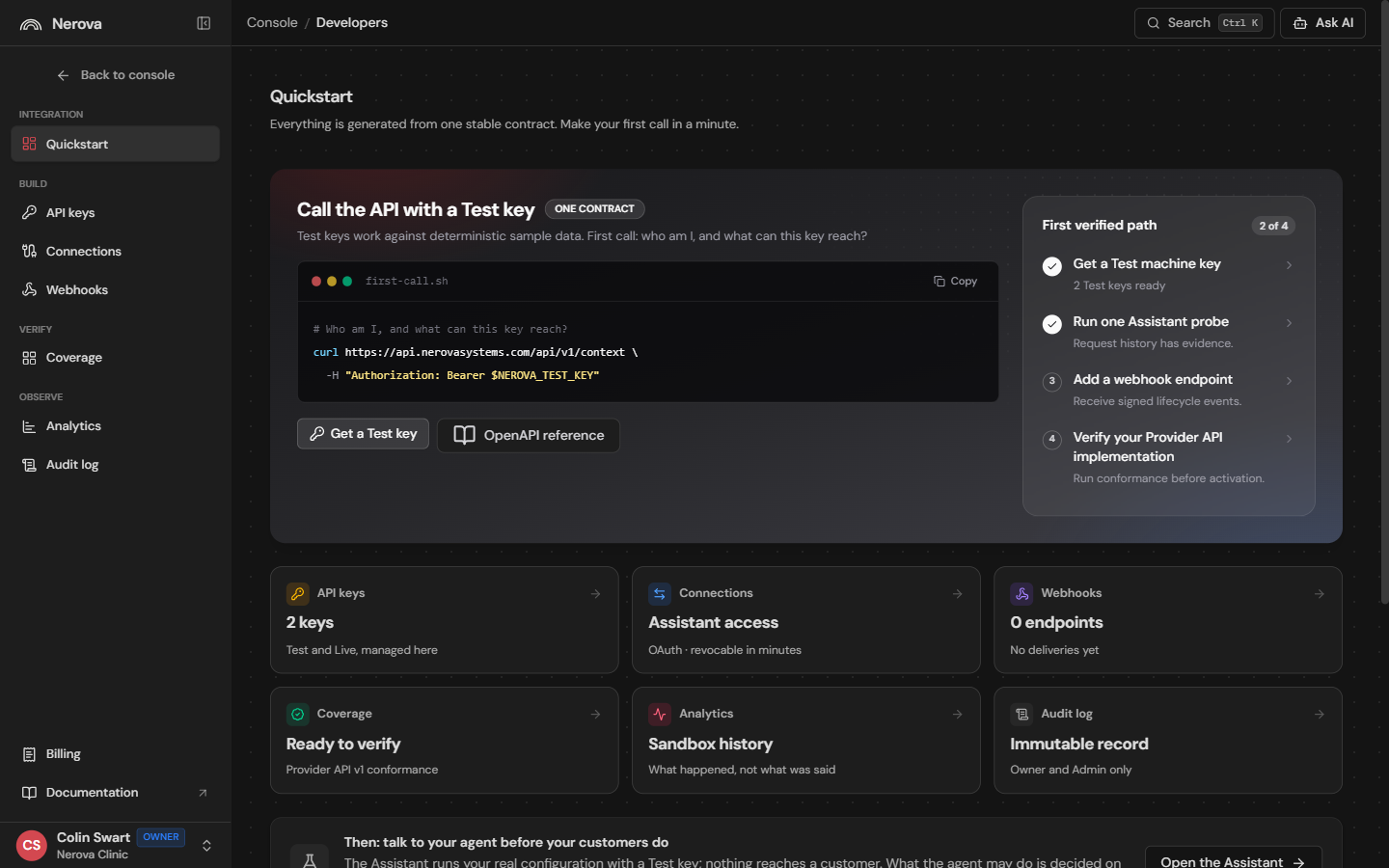
The console's Developers Quickstart tracks your verified path as these first calls land.
## 2.4 Conventions used by every request
**Errors are problem details.** Every non 2xx response is an `application/problem+json` body with a stable machine readable code in the `type` URL and a human readable `detail`:
```json
{
"type": "https://docs.nerovasystems.com/documentation/guides/error-handling#partner.scope_missing",
"title": "Scope missing",
"status": 403,
"detail": "The API key does not carry the scope required for this operation."
}
```
Branch on the code at the end of the `type` URL, never on `detail` text.
**Every response carries `X-Request-Id`.** Log it with every call you make. Support and the request ledger both key on it.
**Writes are idempotent.** Mutating endpoints require an `Idempotency-Key` header. Retrying with the same key returns the original result instead of repeating the action. Generate one UUID per logical operation and reuse it across retries.
**Timestamps are UTC ISO 8601. Money is minor units.** The same encoding rules apply on both the Tenant API you call and the Provider API you will host in step 3.
## Where you are now
Your key works, you know your grants, and you know how to read every error the platform will ever send you. The platform side still has nothing to operate against: that is what you build next.
Continue to [Step 3: Implement Provider API v1](/guides/zero-to-live/step-3-implement-provider-api.md).
---
# Agent Instructions
This documentation is published with GitBook. GitBook is the documentation platform designed so that both humans and AI agents can read, navigate, and reason over technical content effectively. Learn more at gitbook.com.
## Querying This Documentation
If you need additional information that is not directly available in this page, you can query the documentation dynamically by asking a question.
Perform an HTTP GET request on the current page URL with the `ask` query parameter, and the optional `goal` query parameter:
```
GET https://docs.nerovasystems.com/guides/zero-to-live/step-2-first-calls.md?ask=&goal=
```
`ask` is the immediate question: it should be specific, self-contained, and written in natural language.
`goal` is optional and describes the broader end goal you are ultimately trying to accomplish on behalf of the user. GitBook uses it to tailor the answer towards what is most useful for that goal.
The response will contain a direct answer to the question and relevant excerpts and sources from the documentation.
Use this mechanism when the answer is not explicitly present in the current page, you need clarification or additional context, or you want to retrieve related documentation sections.