> For the complete documentation index, see [llms.txt](https://docs.nerovasystems.com/llms.txt). Markdown versions of documentation pages are available by appending `.md` to page URLs; this page is available as [Markdown](https://docs.nerovasystems.com/documentation/get-started/quickstart.md).
# Quickstart
Make your first calls to Nerova's API-first SaaS: create a Live API key, prove connectivity, create a tenant, and read its activation manifest. Approved platforms use one Live key from the first call onward. It runs on a free testing allowance until a commercial agreement is signed or a card is saved.
> **Experimental.** The `/api/v1/**` tenant surface used below is a release candidate published in the `tenant-v1` contract. Experimental behavior may change with a changelog entry. See [Lifecycle and availability](/documentation/tenant-api-v1/lifecycle.md).
## Before you start
Read [Platform access](/documentation/console/platform-access.md) first. The target is platform approval, then private integration docs and credit-funded Testing before a commercial agreement. The signup route below is existing behavior, not proof that the target approval or private-docs workflow has shipped.
* **A Nerova account.** Sign up at `https://app.nerovasystems.com/signup?intent=sandbox`. New signups currently require an invite code (format `NVA-XXXX`). If you do not have one, request access during signup; requests are reviewed within 2 business days and answered with a single-use invite link.
* **A backend or terminal.** The examples run with `curl`, TypeScript (Node.js 24+), or C# (.NET 10). The Nerova API rejects browser sessions; never call it from client-side code.
The API has one public host, `https://api.nerovasystems.com`. Platform keys are Live keys (secret prefix `nrv_live_`). Test keys (`nrv_test_`) are no longer issued; creating one is rejected with `403 api_key.sandbox_disabled`.
## 1. Create a Live API key
In the console, open **Developers**, then **API keys**, and create a **Live** key (secret prefix `nrv_live_`) with the scopes `merchant:provision`, `merchant:read`, `employee:read`, `capability:read`, and `mandate:read`. Live keys require an expiry and an active production entitlement, which your free testing allowance provides. The [console walkthrough](/documentation/console/api-keys.md) covers the creation wizard, and [Platform access](/documentation/console/platform-access.md#from-approval-to-your-first-invoice) explains what happens when the allowance runs out.
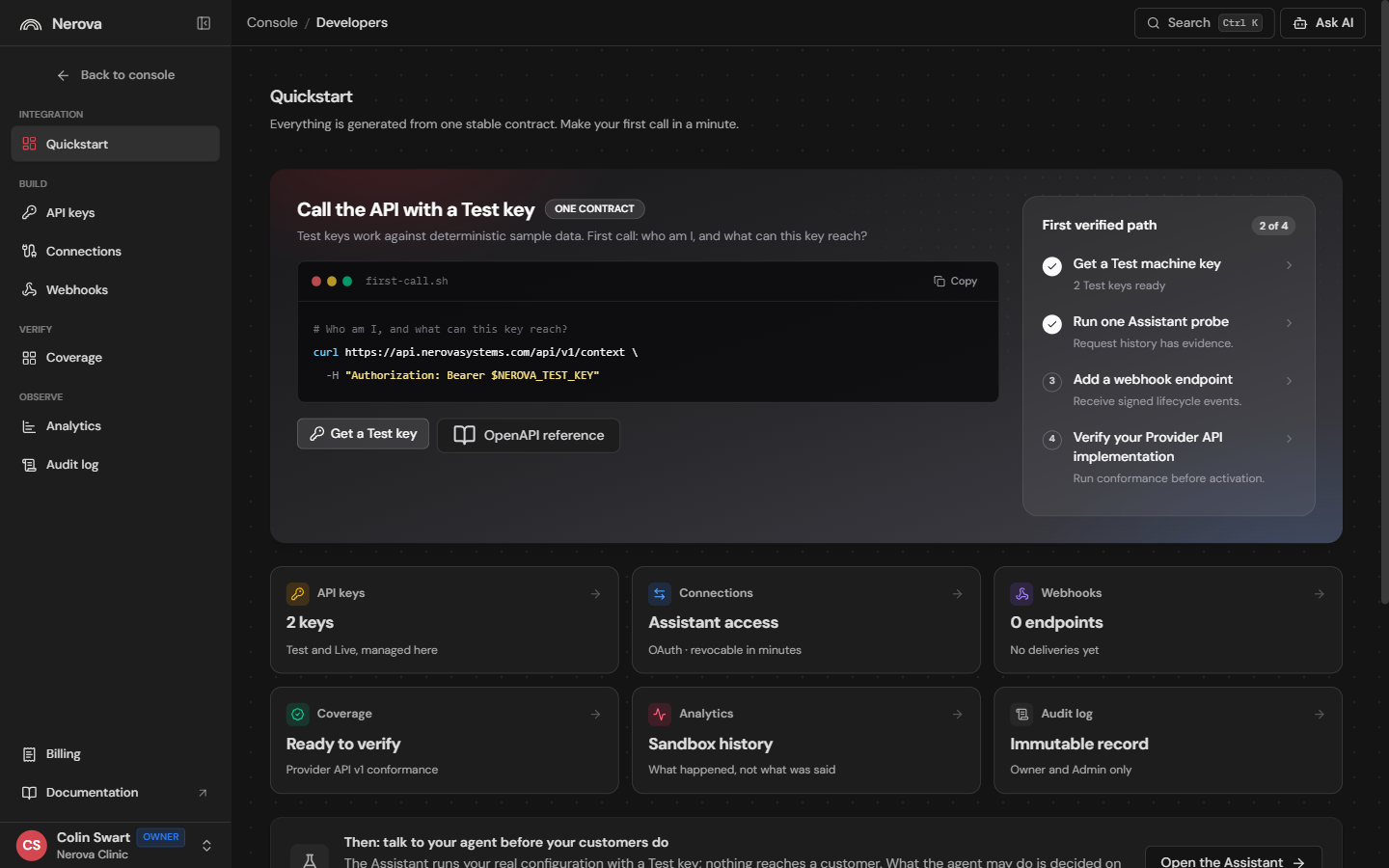
The console's Developers Quickstart tracks your verified path as your first calls land.
Copy the plaintext value when it is shown; it is displayed exactly once. Store it in your backend secret store and expose it to the examples as the `NEROVA_API_KEY` environment variable. If you lose it, create a replacement key and revoke the old one.
Using an SDK? Install it now:
{% tabs %}
{% tab title="TypeScript" %}
```bash
npm install @nerova/sdk@0.3.0-preview.1
```
{% endtab %}
{% tab title="C#" %}
```bash
dotnet add package Nerova.Sdk --version 0.3.0-preview.1
```
{% endtab %}
{% tab title="Python" %}
```bash
pip install nerova-sdk==0.3.0b1
```
{% endtab %}
{% tab title="PHP" %}
```bash
composer require nerova/sdk:0.3.0-beta.1
```
{% endtab %}
{% tab title="Go" %}
```bash
go get github.com/nerova-systems/nerova-sdk-go@v0.3.0-preview.1
```
{% endtab %}
{% endtabs %}
## 2. Prove connectivity
`GET /api/v1/status` requires no authentication and confirms you can reach the API:
```bash
curl --request GET \
--url "https://api.nerovasystems.com/api/v1/status" \
--header "Accept: application/json"
```
```json
{
"apiVersion": "v1",
"environment": null,
"correlationId": "0HNNUST3CT8T8:00000013",
"observedAt": "2026-08-21T11:46:56.4707244+00:00"
}
```
`environment` reflects the environment of the key that made the call. An unauthenticated call reports `null`; send your Live key and the same endpoint reports `"Production"`.
Then verify your key. `GET /api/v1/context` echoes the context Nerova resolved for the caller — environment, granted scopes, and entitlement state:
```bash
curl --request GET \
--url "https://api.nerovasystems.com/api/v1/context" \
--header "Accept: application/json" \
--header "Authorization: Bearer ${NEROVA_API_KEY}"
```
```json
{
"subject": "api-key:key_01M0J29S68JFYD3YVJ6NT5Z96G",
"organizationId": "1540325638220218368",
"keyId": "key_01M0J29S68JFYD3YVJ6NT5Z96G",
"environment": "Production",
"grantedScopes": [
"merchant:provision",
"merchant:read",
"employee:read",
"mandate:read",
"capability:read"
],
"permissionCatalogVersion": "2026-08-04.1",
"entitlementState": "active",
"productionDecision": "Allow",
"correlationId": "0HNNUST3CT8T8:00000015"
}
```
If a scope you expect is missing from `grantedScopes`, fix the key in the console before continuing — every later call fails closed on missing scopes.
Record the `X-Request-Id` response header with your logs on every call. Errors use RFC 9457 problem details and include a correlation ID; see [Conventions](/documentation/tenant-api-v1/conventions.md).
## 3. Create a tenant
A tenant is one merchant Nerova answers for. Use your Live key; tenant creation needs the `merchant:provision` scope. Creation is idempotent: you must send a caller-generated `Idempotency-Key`, and replaying the same key returns the same tenant instead of creating a duplicate.
{% tabs %}
{% tab title="cURL" %}
```bash
curl --request POST \
--url "https://api.nerovasystems.com/api/v1/tenants" \
--header "Accept: application/json" \
--header "Authorization: Bearer ${NEROVA_API_KEY}" \
--header "Content-Type: application/json" \
--header "Idempotency-Key: 6f1c2f6a-4b2e-4d3c-9a51-1e6a3f9d2c01" \
--data ''{
"displayName": "Demo Salon",
"externalReference": "your-crm-id-123"
}''
```
{% endtab %}
{% tab title="TypeScript" %}
```typescript
const tenant = await client.api.v1.tenants.post(
{ displayName: "Demo Salon", externalReference: "your-crm-id-123" },
{ headers: { "Idempotency-Key": "6f1c2f6a-4b2e-4d3c-9a51-1e6a3f9d2c01" } }
);
console.log(tenant?.id, tenant?.provisioningState);
```
{% endtab %}
{% tab title="C#" %}
```csharp
var tenant = await client.Api.V1.Tenants.PostAsync(
new Nerova.Sdk.Models.CreateTenantV1Request
{
DisplayName = "Demo Salon",
ExternalReference = "your-crm-id-123"
},
requestConfiguration => requestConfiguration.Headers.Add(
"Idempotency-Key",
"6f1c2f6a-4b2e-4d3c-9a51-1e6a3f9d2c01"
)
);
Console.WriteLine($"{tenant?.Id} {tenant?.ProvisioningState}");
```
{% endtab %}
{% endtabs %}
```json
{
"id": "1540326319194832896",
"externalReference": "your-crm-id-123",
"displayName": "Demo Salon",
"provisioningState": "Ready",
"lifecycleState": "Active",
"pendingStep": null,
"lastErrorCode": null,
"version": 2
}
```
`externalReference` is your identifier for the merchant in your own system of record. Provisioning is asynchronous in the general case: `provisioningState` moves through `AccountTenantPending` and `MachineGrantPending` to `Ready` (or `Failed` with `lastErrorCode`). Re-run the same request with the same `Idempotency-Key` and observe that you get the same tenant back.
Keep the returned `id`: the next step reads that tenant's activation manifest.
List what your key can see with `GET /api/v1/tenants`. Keys see only tenants they are explicitly granted; there is no implicit organization-wide access. See [Authentication](/documentation/get-started/authentication.md#tenant-grants).
## 4. Read the activation manifest
Use the tenant you created in step 3, referred to below as `${TENANT_ID}`. The activation manifest is the fail-closed contract for a tenant: it tells you exactly what is ready, what is blocking, and what you are allowed to do next.
{% tabs %}
{% tab title="cURL" %}
```bash
curl --request GET \
--url "https://api.nerovasystems.com/api/v1/tenants/${TENANT_ID}/activation/manifest" \
--header "Accept: application/json" \
--header "Authorization: Bearer ${NEROVA_API_KEY}"
```
{% endtab %}
{% tab title="TypeScript" %}
```typescript
import { ApiKeyAuthenticationProvider, ApiKeyLocation } from "@microsoft/kiota-abstractions";
import { FetchRequestAdapter } from "@microsoft/kiota-http-fetchlibrary";
import { createNerovaPartnerClient } from "@nerova/sdk";
const value = process.env.NEROVA_API_KEY;
const tenantId = process.env.TENANT_ID;
if (!value || !tenantId) throw new Error("NEROVA_API_KEY and TENANT_ID are required");
const authenticationProvider = new ApiKeyAuthenticationProvider(
`Bearer ${value}`,
"Authorization",
ApiKeyLocation.Header
);
const client = createNerovaPartnerClient(new FetchRequestAdapter(authenticationProvider));
const manifest = await client.api.v1.tenants
.byTenantId(tenantId)
.activation.manifest.get();
console.log(manifest?.ready, manifest?.nextAllowedActions);
```
{% endtab %}
{% tab title="C#" %}
```csharp
using Microsoft.Kiota.Abstractions.Authentication;
using Microsoft.Kiota.Http.HttpClientLibrary;
using Nerova.Sdk;
var value = Environment.GetEnvironmentVariable("NEROVA_API_KEY")
?? throw new InvalidOperationException("NEROVA_API_KEY is required.");
var authenticationProvider = new ApiKeyAuthenticationProvider(
$"Bearer {value}",
"Authorization",
ApiKeyAuthenticationProvider.KeyLocation.Header
);
var requestAdapter = new HttpClientRequestAdapter(authenticationProvider);
var client = new NerovaPartnerClient(requestAdapter);
var tenantId = Environment.GetEnvironmentVariable("TENANT_ID")
?? throw new InvalidOperationException("TENANT_ID is required.");
var manifest = await client.Api.V1.Tenants[tenantId]
.Activation.Manifest.GetAsync();
Console.WriteLine($"{manifest?.Ready} {string.Join(",", manifest?.NextAllowedActions ?? [])}");
```
{% endtab %}
{% endtabs %}
The response (abbreviated) reports readiness and the reasons work cannot start yet:
```json
{
"merchantId": "1540326319194832896",
"environment": "Production",
"ready": false,
"nextAllowedActions": ["Provision"],
"blockingReasons": [
{
"code": "activation.provisioning_missing",
"category": "identity",
"detail": "Provision authoritative host merchant and location references."
}
],
"observedAt": "2026-08-21T11:49:20.5272831+00:00"
}
```
A fresh tenant is not ready: it has no provisioned identity, no mandate, and no captured consent. Nerova never guesses — until the manifest says `ready: true`, runtime work is rejected. This is the same fail-closed rule described in [Capabilities and verification](/documentation/core-concepts/capability-model.md).
Tenants are directory records owned by your organization; keys operate on them only where [tenant grants](/documentation/get-started/authentication.md#tenant-grants) allow.
## Keep the key safe
Call the Nerova API only from a backend. Never place the key in browser code, mobile code, URLs, source control, analytics, screenshots, or support messages.
## Next steps
* Attach a provider connection and unblock the manifest: [Connections and provider credentials](/documentation/core-concepts/connections.md).
* Understand the merchant model you just used: [Accounts and tenants](/documentation/core-concepts/accounts-and-tenants.md).
* Read the work ledger once a tenant is active — `GET /api/v1/tenants/{tenantId}/work?Limit=10` — after adding the `work:read` and `receipt:read` scopes to your key.
* Track your free testing allowance and what follows it: [Platform access](/documentation/console/platform-access.md#from-approval-to-your-first-invoice).
Production use remains subject to certification, release proof, and an active entitlement; see the [go-live checklist](https://docs.nerovasystems.com/guides/go-live).
---
# Agent Instructions
This documentation is published with GitBook. GitBook is the documentation platform designed so that both humans and AI agents can read, navigate, and reason over technical content effectively. Learn more at gitbook.com.
## Querying This Documentation
If you need additional information that is not directly available in this page, you can query the documentation dynamically by asking a question.
Perform an HTTP GET request on the current page URL with the `ask` query parameter, and the optional `goal` query parameter:
```
GET https://docs.nerovasystems.com/documentation/get-started/quickstart.md?ask=&goal=
```
`ask` is the immediate question: it should be specific, self-contained, and written in natural language.
`goal` is optional and describes the broader end goal you are ultimately trying to accomplish on behalf of the user. GitBook uses it to tailor the answer towards what is most useful for that goal.
The response will contain a direct answer to the question and relevant excerpts and sources from the documentation.
Use this mechanism when the answer is not explicitly present in the current page, you need clarification or additional context, or you want to retrieve related documentation sections.